什么是 Cyntrisec AWS Security?
面向 AWS 的安全分析工具,支持攻击路径识别、合规检查与修复规划。
README
Cyntrisec CLI



Historical pre-company project.
cyntrisec-cliwas created before Cyntrisec narrowed its company focus to EphemeralML and AIR v1. It is not a current Cyntrisec product, support surface, or commercial offering. The PyPI package namecyntrisec, CLI commandcyntrisec, and MCP server IDio.github.cyntrisec/cyntrisecare retained only to avoid breaking historical installs.
[!CAUTION] Historical Software Disclaimer: This tool is no longer an active Cyntrisec product. It is provided "as is", without warranty of any kind. While the CLI is a read-only analysis tool by default, the user assumes all responsibility for any actions taken based on its findings. Always review generated remediation plans and Terraform code before application.
Historical AWS capability graph analysis and attack path discovery CLI.
A read-only CLI tool that historically:
- Scans AWS infrastructure via AssumeRole
- Builds a capability graph (IAM, network, dependencies)
- Discovers attack paths from internet to sensitive targets
- Prioritizes fixes by ROI (security impact + cost savings)
- Identifies unused capabilities (blast radius reduction)
- Outputs deterministic JSON with proof chains
Demo
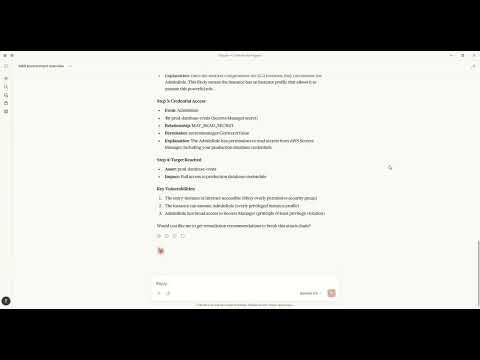
Watch how to discover attack paths and generate fixes using natural language with Claude MCP.
Architecture
+----------------------------------------------------------------------------------+
|                                   CYNTRISEC CLI                                   |
+----------------------------------------------------------------------------------+
| CLI Layer (Typer)                                                                 |
|   scan   analyze   cuts   waste   report   comply   can   diff   serve   ...      |
+-----------------------------+----------------------------------------------------+
| Core Engine                 | Storage (local)                                     |
|  - AWS collectors           |  ~/.cyntrisec/scans/<scan_id>/                      |
|  - Normalization/schema     |    snapshot.json, assets.json, relationships.json   |
|  - GraphBuilder -> AwsGraph |    findings.json, attack_paths.json                 |
|  - Path search -> paths     |  ~/.cyntrisec/scans/latest -> <scan_id>             |
|  - Min-cut + Cost (ROI)     |  (Windows fallback: latest is a file)               |
+-----------------------------+----------------------------------------------------+
| Outputs: JSON/agent, HTML report, remediation plan + Terraform hints              |
+----------------------------------------------------------------------------------+
Data Flow
CLI (scan) --AssumeRole--> AWS Session --Describe/Get/List--> AWS APIs (read-only)
     |
     v
Collectors -> normalize -> Assets + Relationships -> AwsGraph
                                                |
                                                v
                                   Attack path search (BFS/DFS)
                                                |
                                                v
                                   Min-cut (remediation cuts)
                                                |
                                                v
                                      Cost engine (ROI)

Local artifacts: ~/.cyntrisec/scans/<scan_id>/*.json
Installation
pip install cyntrisec
Windows PATH Fix
If you see "cyntrisec is not recognized", the Scripts folder isn't on PATH:
# Option 1: Run with python -m
python -m cyntrisec --help

# Option 2: Add to PATH for current session
$env:PATH += ";$env:APPDATA\Python\Python311\Scripts"
Quick Start
Prerequisite: Ensure you have AWS CLI installed and configured with credentials (e.g.,
aws configure) or environment variables set.terraformis required for the setup step.
# 1. Create the read-only IAM role in your account
cyntrisec setup iam 123456789012 --output role.tf

# 2. Apply the Terraform
cd your-infra && terraform apply

# 3. Run a scan
cyntrisec scan --role-arn arn:aws:iam::123456789012:role/CyntrisecReadOnly

# 4. View attack paths
cyntrisec analyze paths --min-risk 0.5

# 5. Find minimal fixes (prioritized by ROI)
cyntrisec cuts --format json

# 6. Generate HTML report
cyntrisec report --output report.html
Commands
Core Analysis
| Command | Description |
|---|---|
scan | Scan AWS infrastructure |
analyze paths | View attack paths |
analyze findings | View security findings |
analyze stats | View scan statistics |
analyze business | Business entrypoint analysis |
report | Generate HTML/JSON report |
Setup & Validation
| Command | Description |
|---|---|
setup iam | Generate IAM role Terraform |
validate-role | Validate IAM role permissions |
Remediation
| Command | Description |
|---|---|
cuts | Find minimal fixes (Cost & ROI prioritized) |
waste | Find unused IAM permissions |
remediate | Generate or optionally apply Terraform plans (gated) |
Policy Testing
| Command | Description |
|---|---|
can | Test "can X access Y?" |
diff | Compare scan snapshots |
comply | Check CIS AWS / SOC2 compliance |
Agentic Interface
| Command | Description |
|---|---|
manifest | Output machine-readable capabilities |
explain | Natural language explanations |
ask | Query scans in plain English |
serve | Run as MCP server for AI agents |
MCP Server Mode
The historical CLI can still run as an MCP server for compatibility with existing local setups:
# Install with MCP support (now included by default)
pip install cyntrisec
cyntrisec serve              # Start stdio server
cyntrisec serve --list-tools # List available tools
MCP Tools (15)
| Category | Tool | Description |
|---|---|---|
| Discovery | list_tools | List all available tools |
set_session_snapshot | Set active snapshot for session | |
get_scan_summary | Get summary of latest AWS scan | |
| Assets | get_assets | Get assets with type/name filtering |
get_relationships | Get relationships between assets | |
get_findings | Get security findings with severity filtering | |
| Attack Paths | get_attack_paths | Get attack paths with risk scores |
explain_path | Detailed hop-by-hop path breakdown | |
explain_finding | Detailed finding explanation | |
| Remediation | get_remediations | Find optimal fixes for attack paths |
get_terraform_snippet | Generate Terraform code for remediation | |
| Access | check_access | Test if principal can access resource |
get_unused_permissions | Find unused IAM permissions | |
| Compliance | check_compliance | Check CIS AWS or SOC 2 compliance |
compare_scans | Compare scan snapshots |
Claude Desktop
MacOS: ~/Library/Application Support/Claude/claude_desktop_config.json
Windows: %APPDATA%\Claude\claude_desktop_config.json
{
  "mcpServers": {
    "cyntrisec": {
      "command": "python",
      "args": ["-m", "cyntrisec", "serve"]
    }
  }
}
Claude Code (CLI)
Run the following command to configure the server:
claude mcp add cyntrisec -- python -m cyntrisec serve
Google Gemini / Antigravity
Locate your agent configuration (e.g., ~/.gemini/antigravity/mcp_config.json) and add:
{
  "mcpServers": {
    "cyntrisec": {
      "command": "python",
      "args": ["-m", "cyntrisec", "serve"]
    }
  }
}
Trust & Safety
Read-Only Guarantees
This tool makes read-only API calls to your AWS account. The IAM role
should have only Describe*, Get*, List* permissions.
No Data Exfiltration
All data stays on your local machine. Nothing is sent to external servers.
Scan results are stored in ~/.cyntrisec/scans/.
No Auto-Remediation (Default Safe Mode)
By default, Cyntrisec is read-only and does not modify your AWS infrastructure.
- It analyzes your account using read-only APIs.
- It can generate remediation artifacts (e.g., Terraform modules) for you to review.
- It does not apply changes automatically.
Optional Remediation Execution (Explicit Opt-In)
Cyntrisec includes an explicitly gated path that can execute Terraform only if you intentionally enable it.
This mode is:
- Disabled by default
- Requires
--enable-unsafe-write-mode - Requires an additional explicit flag (e.g.
--execute-terraform) to run Terraform - Intended for controlled environments (sandbox / CI with approvals), not unattended production
If you do not pass these flags, Cyntrisec will never run terraform apply.
Write Operations
Cyntrisec makes no AWS write API calls during scanning and analysis.
The only supported "write" behavior is optional execution of Terraform locally on your machine, and only when explicitly enabled via unsafe flags.
Every AWS API call is logged in CloudTrail under session name cyntrisec-cli.
Trust & Permissions
Cyntrisec runs with a read-only IAM role. Generate the recommended policy with
cyntrisec setup iam <ACCOUNT_ID> and keep permissions to Describe*, Get*,
and List*. Live modes (waste --live, can --live) require extra IAM
permissions; the generated policy and docs cover those additions.
Output Format
Primary output is JSON to stdout. When stdout is not a TTY, the CLI automatically switches to JSON:
cyntrisec analyze paths --format json | jq '.paths[] | select(.risk_score > 0.7)'
Agent-friendly output wraps results in a structured envelope:
cyntrisec analyze paths --format agent
{
  "schema_version": "1.0",
  "status": "success",
  "data": {...},
  "artifact_paths": {...},
  "suggested_actions": [...]
}
Exit Codes
| Code | Meaning |
|---|---|
| 0 | Success / compliant |
| 1 | Findings / regressions / denied |
| 2 | Usage error |
| 3 | Transient error (retry) |
| 4 | Internal error |
Use in CI/CD:
cyntrisec scan --role-arn $ROLE_ARN || exit 1
cyntrisec diff || echo "Regressions detected"
Storage
Scan results are stored locally:
~/.cyntrisec/
|-- scans/
|   |-- 2026-01-17_123456_123456789012/
|   |   |-- snapshot.json
|   |   |-- assets.json
|   |   |-- relationships.json
|   |   |-- findings.json
|   |   `-- attack_paths.json
|   `-- latest -> 2026-01-17_...
`-- config.yaml
Versioning
This project follows Semantic Versioning. See CHANGELOG.md for release notes.
License
Apache-2.0
Links
常见问题
Cyntrisec AWS Security 是什么?
面向 AWS 的安全分析工具,支持攻击路径识别、合规检查与修复规划。
相关 Skills
更新日志
by alirezarezvani
基于 Conventional Commits 自动解析提交记录、判断语义化版本升级并生成规范 changelog,适合在 CI、发版前检查提交格式并批量输出可审计发布说明。
✎ 自动生成和管理更新日志与发布说明,帮团队把版本变更说清楚;聚焦版本化与流程自动化,省时又更规范。
可观测性设计
by alirezarezvani
面向生产系统规划可落地的可观测性体系,串起指标、日志、链路追踪与 SLI/SLO、错误预算、告警和仪表盘设计,适合搭建监控平台与优化故障响应。
✎ 把监控、日志、链路追踪串起来,帮助团队从设计阶段构建可观测性,排障更快、系统演进更稳。
环境密钥管理
by alirezarezvani
统一梳理dev/staging/prod的.env和密钥流程,自动生成.env.example、校验必填变量、扫描Git历史泄漏,并联动Vault、AWS SSM、1Password、Doppler完成轮换。
✎ 统一管理环境变量、密钥与配置,减少泄露和部署混乱,安全治理与团队协作一起做好,DevOps 场景很省心。
相关 MCP Server
kubefwd
编辑精选by txn2
kubefwd 是让 AI 帮你批量转发 Kubernetes 服务到本地的开发神器。
✎ 微服务开发者最头疼的本地调试问题,它一键搞定——自动分配 IP 避免端口冲突,还能用自然语言查询状态。但依赖 AI 工作流,纯命令行爱好者可能觉得不够直接。
Cloudflare
编辑精选by Cloudflare
Cloudflare MCP Server 是让你用自然语言管理 Workers、KV 和 R2 等云资源的工具。
✎ 这个工具解决了开发者频繁切换控制台和文档的痛点,特别适合那些在 Cloudflare 上部署无服务器应用、需要快速调试或管理配置的团队。不过,由于它依赖多个子服务器,初次设置可能有点繁琐,建议先从 Workers Bindings 这类核心功能入手。
Terraform
编辑精选by hashicorp
Terraform MCP Server 是让 AI 助手直接操作 Terraform Registry 和 HCP Terraform 的桥梁。
✎ 如果你经常在 Terraform 里翻文档找模块配置,这个服务器能省不少时间——直接问 Claude 就能生成准确的代码片段。最适合管理多云基础设施的团队,但注意它目前只适合本地使用,别在生产环境里暴露 HTTP 端点。