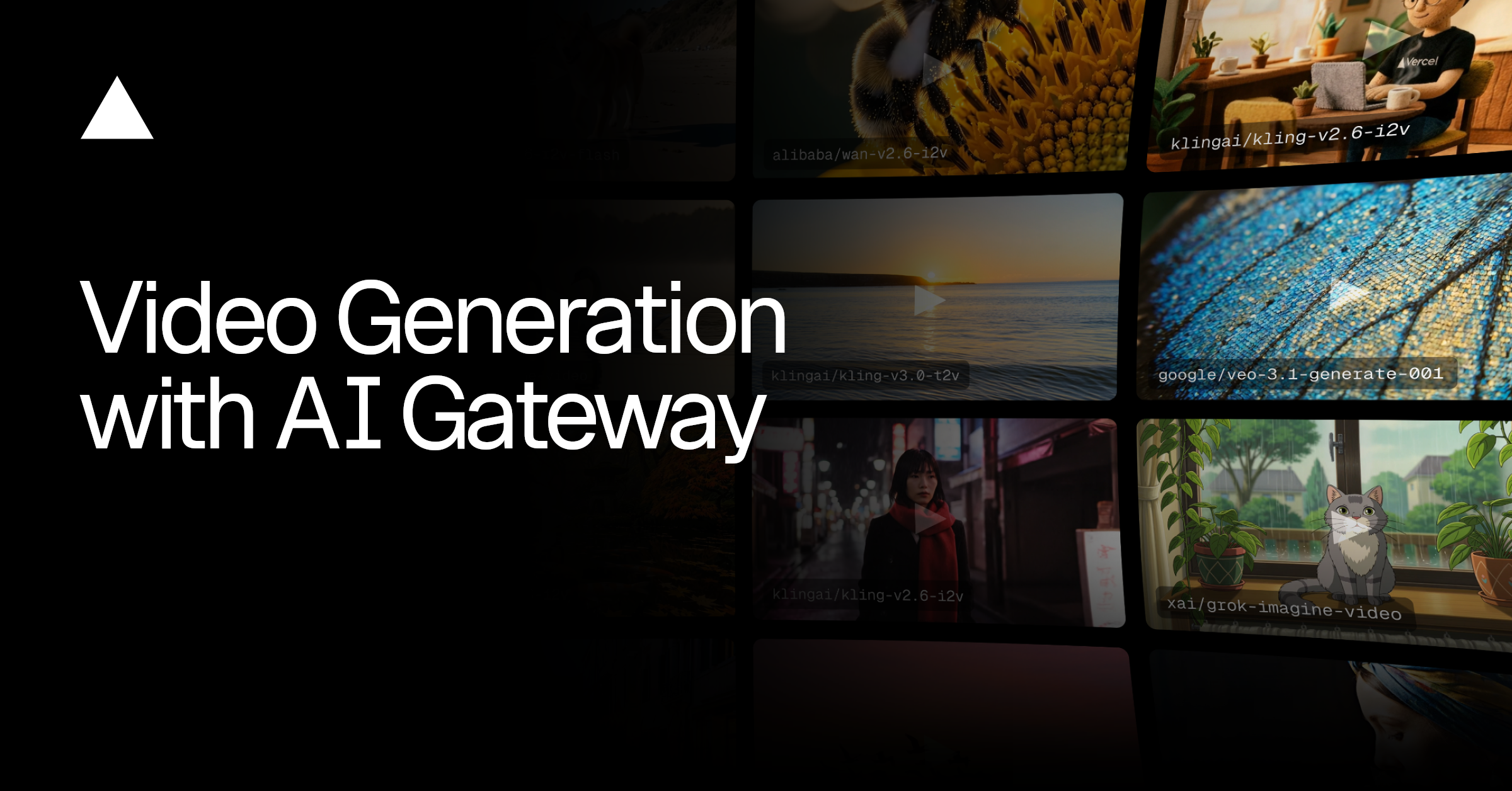
AI Gateway 上线视频生成:通过 AI SDK 6 一站式接入多模型能力
4 分钟阅读
2026 年 2 月 19 日
AI Gateway 现已支持视频生成。你可以通过 AI SDK 6 创建具备电影感、照片级真实感并可同步音频的视频,还能生成身份一致的个性化内容。
Link to heading两种上手方式
视频生成功能目前处于 Beta 阶段,现面向 Pro、Enterprise 套餐及付费 AI Gateway 用户开放。
- AI SDK 6:使用与你处理文本和图像相同的接口,以编程方式生成视频。整个 AI 流水线共用一个 API、同一套鉴权流程、同一个可观测性面板。
import { experimental_generateVideo as generateVideo } from 'ai';const { videos } = await generateVideo({ model: 'xai/grok-imagine-video', prompt: 'A golden retriever catching a frisbee mid-air at the beach',});
- AI Gateway Playground:在每个模型页面内嵌的可配置 AI Gateway playground 中零代码体验视频模型。你可以对比不同 provider、微调 prompt,并下载结果,无需写代码。访问方式:在 model list 中点击任意视频生成模型。
Link to heading首批 4 个视频模型;17 个变体
-
来自 xAI 的 Grok Imagine:速度快,指令跟随能力强;可在数秒内完成风格迁移式的视频创建与编辑。
-
来自 Alibaba 的 Wan:擅长基于参考素材生成与多镜头叙事,并可跨场景保持角色身份一致。
-
Kling:在图生视频和原生音频方面表现突出;全新 3.0 模型支持自动转场的多镜头视频。
-
来自 Google 的 Veo:具备高视觉保真度和更真实的物理效果,支持电影感打光与物理表现的原生音频生成。
Link to heading理解视频生成请求
视频模型不只是“描述你想要什么”这么简单。与图像生成不同,视频 prompt 可以包含运动信息(镜头运动、物体动作、时序)以及可选的音频指令。不同 provider 会通过 providerOptions 暴露不同能力,解锁本质上不同的生成模式。模型专属配置请查看 documentation。
Link to heading生成类型
AI Gateway 首期支持 4 类视频生成:
类型
输入
说明
示例场景
Text-to-video
Text prompt
描述一个场景,直接生成视频
广告创意、讲解视频、社交内容
Image-to-video
Image,可选 text prompt
让静态图片动起来
产品展示、Logo 出场、照片动画
First and last frame
2 张图片,可选 text prompt
定义起止状态,中间过程由模型补全
前后对比、延时效果、转场
Reference-to-video
图片或视频
从参考图/视频提取角色并放入新场景
口播人物内容、品牌角色一致性内容
以下是各模型提供方在 AI Gateway 上当前可用的能力:
模型提供方
能力
xAI
Text-to-video、image-to-video、视频编辑、音频
Wan
Text-to-video、image-to-video、reference-to-video、音频
Kling
Text-to-video、image-to-video、first and last frame、音频
Veo
Text-to-video、image-to-video、音频
Link to headingText-to-video
描述你想要的内容,即可得到视频。模型会处理画面、运动,以及可选音频。仅需简单文本 prompt,就能生成高拟真、可用于生产级的影像。
示例:规模化程序化视频生成。 为你的 app、平台或内容流水线按需生成视频。无需授权费用,也不需要传统拍摄制作,只要 prompt 和输出。
这个示例使用 klingai/kling-v2.6-t2v,通过文本 prompt 生成指定宽高比和时长的视频。
import { experimental_generateVideo as generateVideo } from 'ai';const { videos } = await generateVideo({ model: 'klingai/kling-v2.6-t2v', prompt: `Wide shot of a rocket lifting off from launch pad at dawn. Massive plume of orange fire and white smoke billows outward from the base. The rocket rises slowly at first, engines blazing, then accelerates upward. Pink and orange sunrise sky in the background. Ocean visible in the distance.`, aspectRatio: '16:9', duration: 5, providerOptions: { klingai: { mode: 'pro', sound: 'on', }, },});
示例:创意内容生成。 用简单 prompt 产出适合社媒、广告或叙事的精致视频片段,具备自然运动与电影感质量。
通过设置足够具体、描述充分的 prompt,google/veo-3.1-generate-001 可以生成细节极其丰富且动作符合预期的视频。
import { experimental_generateVideo as generateVideo } from 'ai';const { videos } = await generateVideo({ model: 'google/veo-3.1-generate-001', prompt: `Close-up of a great horned owl turning its head slowly. Enormous yellow eyes with intricate iris detail. Every feather texture visible, from soft facial disc to ear tufts. The owl blinks once, deliberately.` aspectRatio: '16:9',});
Link to headingImage-to-video
提供一张起始图片并让它动起来。你可以先控制初始构图,再由模型生成运动。
示例:产品图动画化。 把已有产品照片变成交互感更强的视频。
klingai/kling-v2.6-i2v 模型会在你传入图片 URL 与运动描述后,将产品图转为动态视频。
iconst { videos } = await generateVideo({ model: 'klingai/kling-v2.6-i2v', prompt: { image: blackHoodie, text: `The orange tabby cat walks slowly across the black hoodie. Warm natural light. Cozy lifestyle scene. Smooth, cinematic.`, }, duration: 5, providerOptions: { klingai: { mode: 'pro' }, },});
示例:插画动画化。 用细微运动让静态艺术作品“活”起来,适合主题内容或规模化营销。
示例:生活方式与产品摄影。 为美食、饮品或生活方式照片加入轻微动态,用于社交内容。

这里将一张咖啡图片渲染为更具互动感的视频,并保留了光线方向与细节表现。
import { experimental_generateVideo as generateVideo } from 'ai';const { videos } = await generateVideo({ model: 'alibaba/wan-v2.6-i2v', prompt: { image: 'https://your-storage.com/coffee-pour.png', text: `Coffee swirls gently in the cup, steam rises slowly, warm morning light shifts subtly`, }, resolution: '1280x720', duration: 3,});
Link to headingFirst and last frame
定义起始状态和结束状态,模型会自动生成两者之间的无缝过渡。
示例:前后对比展示。 如换装、产品对比、时间变化等。上传两张图,即可得到平滑转场。
此处通过 prompt 与 provider options 中使用的两张图片定义起止状态。
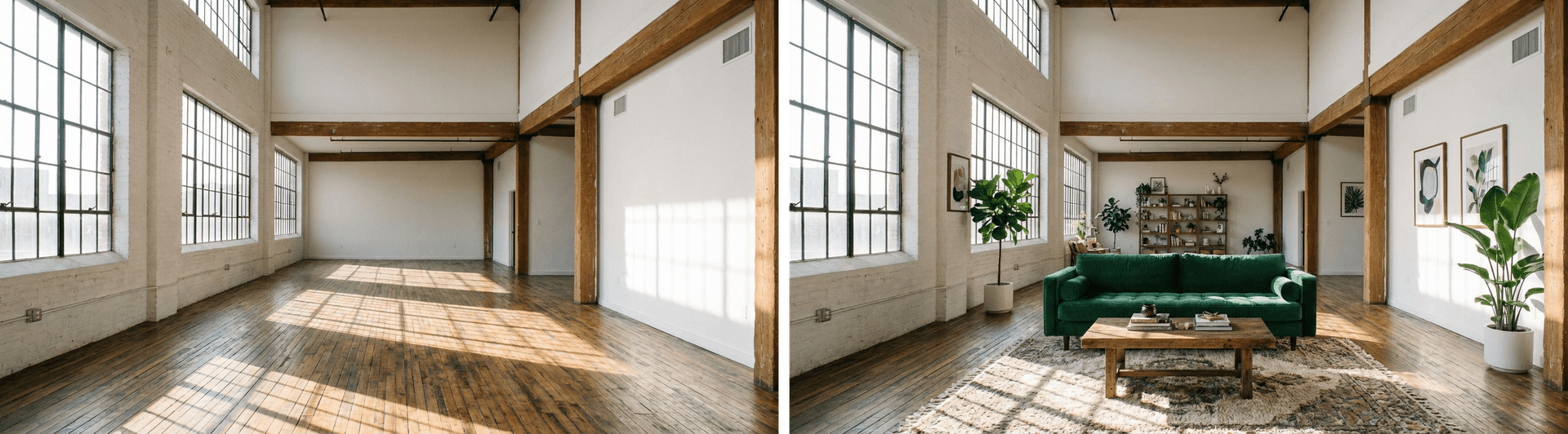
在这个示例中,klingai/kling-v3.0-i2v 允许你在 image 中定义起始帧,在 lastFrameImage 中定义结束帧;模型将自动生成两者之间的过渡。
import { experimental_generateVideo as generateVideo } from 'ai';const { videos } = await generateVideo({ model: 'klingai/kling-v3.0-i2v', prompt: { image: startFrameDataUrl, // Empty room text: `Smooth cinematic transition: The empty loft fills with furniture. A green velvet sofa fades into view, followed by a wooden coffee table. Potted plants rise from the floor. A patterned rug materializes. Framed artwork appears on the walls. Bookshelves on the back wall. Gentle, seamless transformation.`, }, duration: 5, providerOptions: { klingai: { lastFrameImage: endFrameDataUrl, // Furnished room mode: 'std', }, },});
Link to headingReference-to-video
提供人物/角色的参考视频或图片,模型会提取其外观与声音,在新场景中生成由该角色出演且身份一致的视频。
这个示例中使用了 2 张狗狗参考图来生成最终视频。
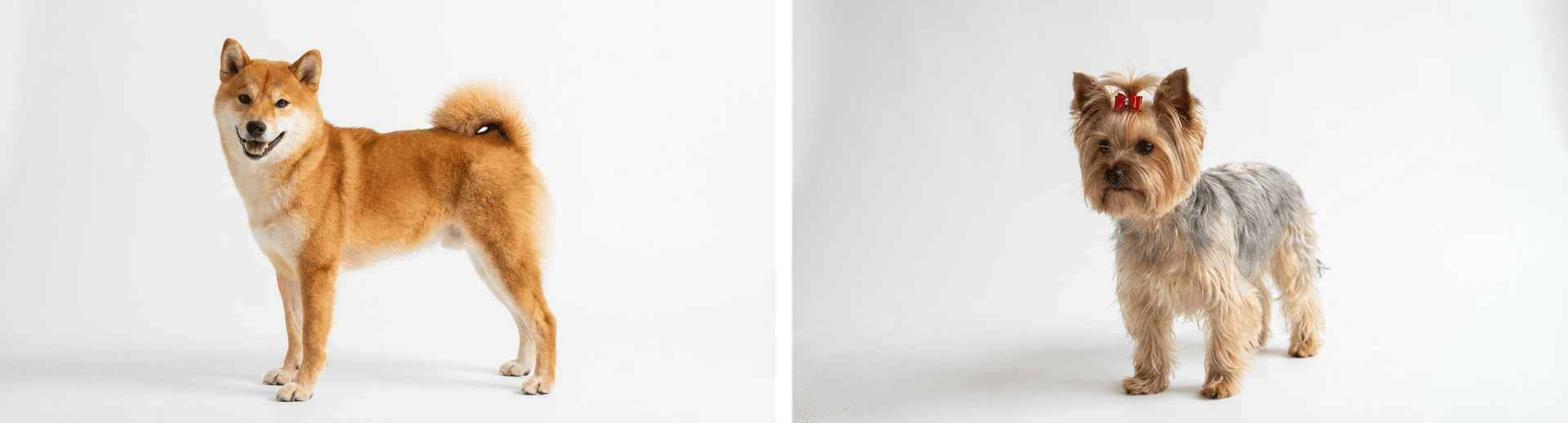
这里使用 alibaba/wan-v2.6-r2v-flash,可在 prompt 中指示模型使用对应人物/角色。Wan 建议在多参考视频生成中使用 character1、character2 等标记,以获得更好效果。
import { experimental_generateVideo as generateVideo } from 'ai';const { videos } = await generateVideo({ model: 'alibaba/wan-v2.6-r2v-flash', prompt: `character1 and character2 are playing together on the beach in San Francisco with the Golden Gate Bridge in the background, sunny day, waves crashing`, resolution: '1280x720', duration: 5, providerOptions: { alibaba: { referenceUrls: [shibaImage, yorkieImage], }, },});
Link to heading视频编辑
通过风格迁移改造已有视频。提供视频 URL 并描述想要的变化,模型会在保留原始运动的前提下应用新风格。
这里,xai/grok-imagine-video 使用此前生成的视频作为输入,编辑为水彩画风格。
import { experimental_generateVideo as generateVideo } from 'ai';const { videos } = await generateVideo({ model: 'xai/grok-imagine-video', prompt: `Transform into watercolor painting style, soft flowing brushstrokes, paint bleeding at edges, delicate washes of color, artistic and dreamlike`, providerOptions: xai: { videoUrl: dogVideo, }, },});
Link to heading开始使用
想查看更多示例与视频模型详细配置项,请查看 Video Generation Documentation。你也可以通过 Video Generation Quick Start 获取简洁的入门脚本。
此外,建议查看这些视频模型的 changelog,获取更详细的示例与 prompt。
原文链接:https://vercel.com/blog/video-generation-with-ai-gateway