微软 Agent Framework 推出 Agent Skills:让智能体按需获得领域能力
March 2nd, 2026
 3 reactions

首席软件工程师
现在,你可以为 Microsoft Agent Framework 中的 Agent 配置可移植、可复用的技能包,让它们按需获得领域专业能力——而无需改动 Agent 核心指令中的任何一行代码。借助全新的 FileAgentSkillsProvider(.NET 和 Python 均可用),你的 Agent 可以在运行时发现并加载 Agent Skills,在需要时只拉取必要上下文。
什么是 Agent Skills?
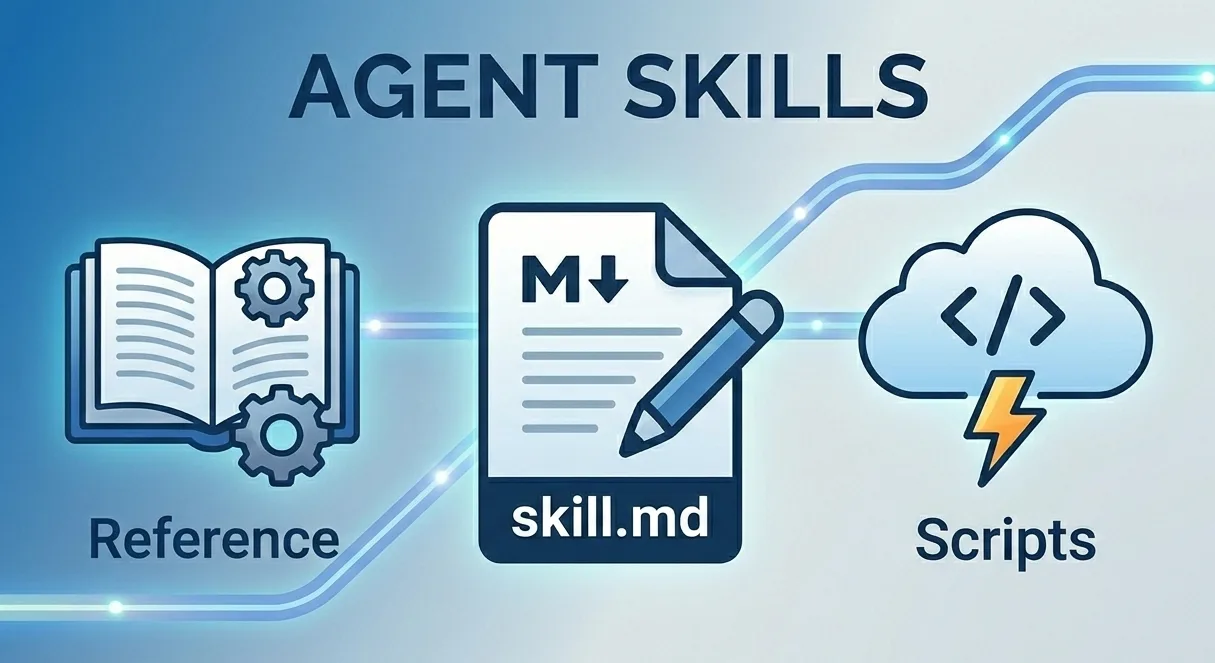
Agent Skills 是一种简单且开放的格式,用于为 Agent 增加新能力与专业知识。每个 skill 的核心都是一个 SKILL.md 文件——这是一个 markdown 文档,用来描述 skill 的用途,并提供分步骤执行说明。skill 还可以包含可选脚本、参考文档和其他可按需获取的资源。
一个 skill 目录结构如下:
expense-report/
├── SKILL.md                          # 必需 — frontmatter + 指令
├── scripts/
│   └── validate.py                   # Agent 可执行的代码
├── references/
│   └── POLICY_FAQ.md                 # 按需加载的参考文档
└── assets/
    └── expense-report-template.md    # 模板和静态资源
SKILL.md 文件由 YAML frontmatter 元数据 + markdown 指令正文组成。只有 name 和 description 是必填项;license、compatibility、metadata 等字段是可选项:
---
name: expense-report
description: >-
  File and validate employee expense reports according to company policy.
  Use when asked about expense submissions, reimbursement rules, or spending limits.
license: Apache-2.0                   # Optional
compatibility: Requires python3       # Optional
metadata:                             # Optional
  author: contoso-finance
  version: "2.1"
---

## Instructions

1. Ask the employee for their receipt and expense details...
2. Validate against the policy in references/POLICY_FAQ.md...
在以下场景中,skills 特别有价值:
- 打包领域知识 —— 将专项知识(报销政策、法律流程、数据分析流水线)沉淀为可复用包。
- 扩展 Agent 能力 —— 无需修改核心指令,就能为 Agent 增加新本领。
- 确保一致性 —— 把多步骤任务固化为可重复、可审计的工作流。
- 实现互操作性 —— 在不同兼容 Agent Skills 的产品之间复用同一 skill。
渐进式披露:以上下文效率为核心设计
Agent Skills 的关键设计原则之一是“渐进式披露(progressive disclosure)”。它不会在一开始把所有内容都塞进 Agent 上下文,而是分三阶段披露:
- 告知(Advertise)(每个 skill 约 100 tokens)—— 将 skill 名称与描述注入 system prompt,让 Agent 知道有哪些可用能力。
- 加载(Load)(建议 < 5,000 tokens)—— 当任务与某个 skill 匹配时,Agent 调用
load_skill获取完整SKILL.md指令。 - 读取资源(Read resources)(按需)—— Agent 调用
read_skill_resource仅在需要时拉取补充文件(参考资料、模板、assets)。
这种模式能让 Agent 的 context window 保持精简,同时在需要时仍可获取深度领域知识——当你的 Agent 需要处理多个领域,或希望严格控制 Token 使用量时,这一点尤其重要。
创建一个 Skill
最简单的 skill 只需要一个包含 SKILL.md 的文件夹。先创建 skills 目录,再在里面加一个 skill 子目录:
skills/
└── meeting-notes/
    └── SKILL.md
SKILL.md 以 YAML frontmatter 开头(name 和 description 必填),后接 markdown 指令:
---
name: meeting-notes
description: >-
  Summarize meeting transcripts into structured notes with action items.
  Use when asked to process or summarize meeting recordings or transcripts.
---

## Instructions

1. Extract key discussion points from the transcript.
2. List any decisions that were made.
3. Create a list of action items with owners and due dates.
4. Keep the summary concise — aim for one page or less.
其中 description 字段尤为关键——Agent 会用它来判断何时加载该 skill,因此请同时写清“这个 skill 做什么”和“什么时候该用”。
就这么简单:不需要脚本,不需要额外文件——一个文件夹加一个 SKILL.md 即可。后续随着 skill 演进,你可以再添加 references/、scripts/、assets/ 目录。你也可以使用 skill-creator 这个 skill 来交互式生成新技能。
将 Skills 接入 Agent
FileAgentSkillsProvider 会从文件系统目录发现 skills,并以 context provider 的形式提供给 Agent。它会在配置路径中递归搜索(最多两层)SKILL.md 文件,校验其格式与资源,并将 skill 名称和描述注入 system prompt,让 Agent 知道可用技能。同时它还向 Agent 暴露两个工具:
load_skill—— 当 Agent 判断用户请求与某个 skill 领域匹配时,拉取完整SKILL.md指令,为任务提供详细分步指导。read_skill_resource—— 获取 skill 打包的补充文件(references、templates、assets),让 Agent 仅在需要时引入额外上下文。
在 .NET 中使用 Skills
安装包:
dotnet add package Microsoft.Agents.AI --prerelease
dotnet add package Microsoft.Agents.AI.OpenAI --prerelease
dotnet add package Azure.AI.OpenAI --prerelease
dotnet add package Azure.Identity
配置 provider 并创建 Agent:
using Azure.AI.OpenAI;
using Azure.Identity;
using Microsoft.Agents.AI;
using OpenAI.Responses;

// Discover skills from the 'skills' directory
var skillsProvider = new FileAgentSkillsProvider(
    skillPath: Path.Combine(AppContext.BaseDirectory, "skills"));

// Create an agent with the skills provider
AIAgent agent = new AzureOpenAIClient(
    new Uri(endpoint), new DefaultAzureCredential())
    .GetResponsesClient(deploymentName)
    .AsAIAgent(new ChatClientAgentOptions
    {
        Name = "SkillsAgent",
        ChatOptions = new()
        {
            Instructions = "You are a helpful assistant.",
        },
        AIContextProviders = [skillsProvider],
    });

// The agent discovers and loads matching skills automatically
AgentResponse response = await agent.RunAsync(
    "Summarize the key points and action items from today's standup meeting.");
Console.WriteLine(response.Text);
在 Python 中使用 Skills
安装包:
pip install agent-framework --pre
配置 provider 并创建 Agent:
from pathlib import Path
from agent_framework import FileAgentSkillsProvider
from agent_framework.azure import AzureOpenAIChatClient
from azure.identity.aio import AzureCliCredential

# Discover skills from the 'skills' directory
skills_provider = FileAgentSkillsProvider(
    skill_paths=Path(__file__).parent / "skills"
)

# Create an agent with the skills provider
agent = AzureOpenAIChatClient(credential=AzureCliCredential()).as_agent(
    name="SkillsAgent",
    instructions="You are a helpful assistant.",
    context_providers=[skills_provider],
)

# The agent discovers and loads matching skills automatically
response = await agent.run(
    "Summarize the key points and action items from today's standup meeting."
)
print(response.text)
配置完成后,Agent 会自动发现可用 skills,并在用户任务与 skill 领域匹配时启用它们。你无需编写任何路由逻辑——Agent 会读取 system prompt 中的 skill 描述,并自行决定何时加载。
使用场景
以下是几个 Agent Skills 的典型应用:
企业政策合规
将公司 HR 政策、报销规则或 IT 安全规范打包为 skills。当员工询问“联合办公空间能报销吗?”时,面向员工的 Agent 可加载对应政策 skill,给出准确且有政策依据的回答——无需始终把全部政策放进上下文。
客服支持 Playbook
把支持团队的故障排查指南沉淀为 skills。客户报障后,Agent 可加载匹配的 playbook 并按文档步骤执行,无论请求落到哪个 Agent 实例,都能保持一致的处理质量。
多团队技能库
不同团队可以独立编写和维护各自 skills。你可以让 FileAgentSkillsProvider 指向多个目录并进行组合:
.NET
var skillsProvider = new FileAgentSkillsProvider(
    skillPaths: [
        Path.Combine(AppContext.BaseDirectory, "company-skills"),
        Path.Combine(AppContext.BaseDirectory, "team-skills"),
    ]);
Python
skills_provider = FileAgentSkillsProvider(
    skill_paths=[
        Path(__file__).parent / "company-skills",
        Path(__file__).parent / "team-skills",
    ]
)
每个路径既可以指向单个 skill 文件夹,也可以指向包含多个 skill 子目录的父目录。
安全性
请像对待开源依赖一样对待 skills——只使用可信来源,并在接入 Agent 前先审查。skill 指令会注入 Agent 上下文并影响其行为,因此你对新 package 应有的审慎态度,在这里同样适用。
接下来
我们会继续完善框架中的 Agent Skills 支持,后续包括:
- Programmatic skills —— 通过 API 动态创建并注册 agent skills,支持在运行时生成或修改 skills,而不是仅依赖静态文件。
- Agent skill execution —— 支持 Agent 执行 skill 内置脚本,使 skills 从“指令 + 参考资料”扩展到“主动代码执行”。
了解更多
想进一步了解并亲自体验,可查看文档与示例:
分类
主题
作者
首席软件工程师