什么是 Rootly?
由 Rootly 驱动的事故管理、on-call 排班与智能分析平台,帮助团队更快响应和复盘故障。
README
Rootly MCP Server



An MCP server for the Rootly API for Cursor, Windsurf, Claude, and other MCP clients.
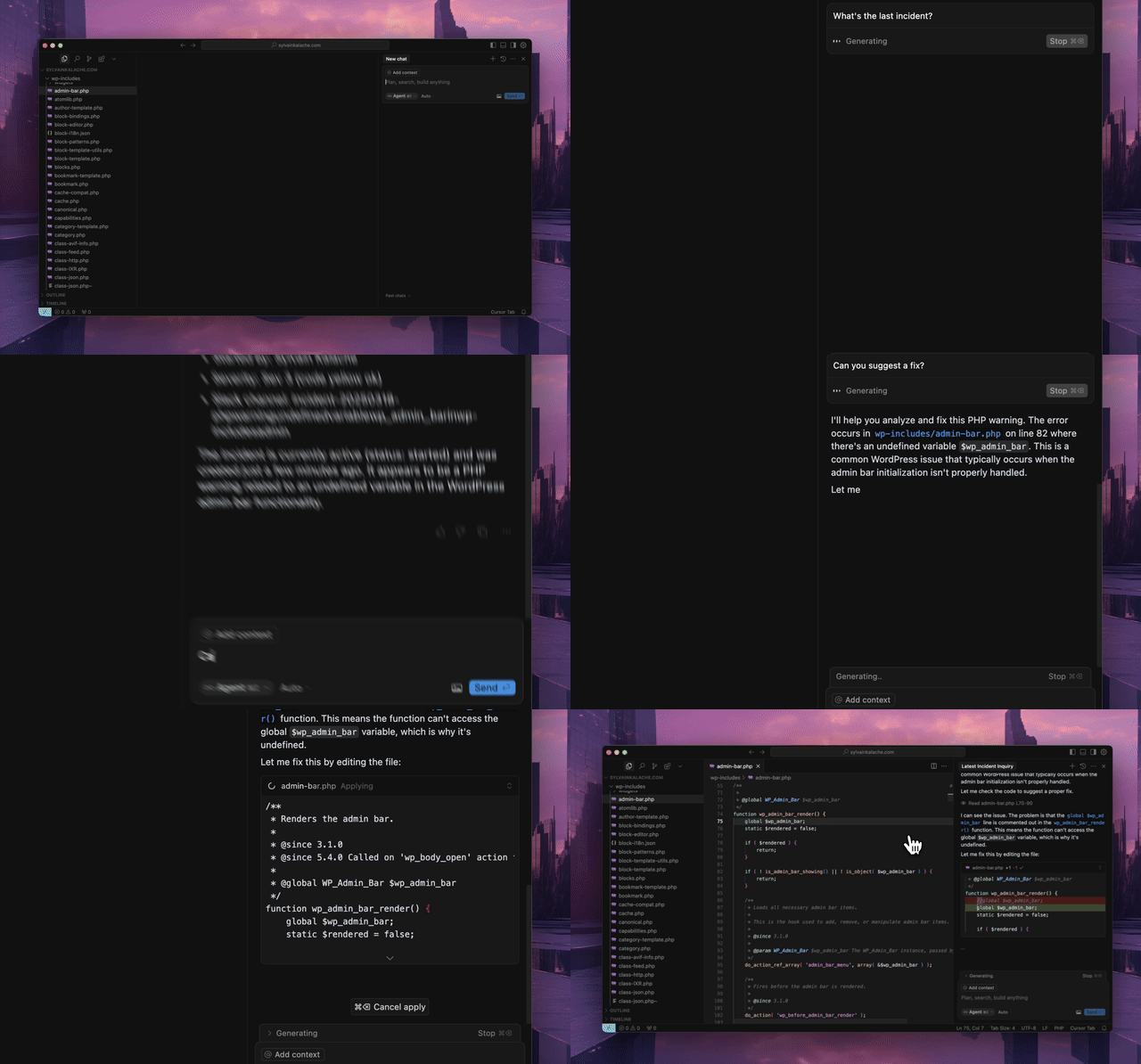
Quick Start
Use the hosted MCP server. No local installation required.
Hosted Transport Options
- Streamable HTTP (recommended):
https://mcp.rootly.com/mcp - SSE (stable alternative):
https://mcp.rootly.com/sse - Code Mode:
https://mcp.rootly.com/mcp-codemode
Hosted tool profiles:
- Full (default): use the URLs above as-is
- Slim (~70 tools): add
?tool_profile=slimto the hosted URL, for examplehttps://mcp.rootly.com/mcp?tool_profile=slim - Header alternative: send
X-Rootly-Tool-Profile: slim - Server-wide default: set
ROOTLY_MCP_HOSTED_TOOL_PROFILE=full|slim - Exact custom override: set
ROOTLY_MCP_ENABLED_TOOLS=...
General Remote Setup
With OAuth2 (recommended):
{
  "mcpServers": {
    "rootly": {
      "url": "https://mcp.rootly.com/mcp"
    }
  }
}
Your MCP client handles OAuth2 login automatically — a browser window opens for you to authenticate with Rootly. No API token needed.
With API Token:
{
  "mcpServers": {
    "rootly": {
      "url": "https://mcp.rootly.com/mcp",
      "headers": {
        "Authorization": "Bearer YOUR_ROOTLY_API_TOKEN"
      }
    }
  }
}
SSE (alternative):
{
  "mcpServers": {
    "rootly": {
      "url": "https://mcp.rootly.com/sse"
    }
  }
}
Code Mode:
{
  "mcpServers": {
    "rootly": {
      "url": "https://mcp.rootly.com/mcp-codemode"
    }
  }
}
Agent Setup
<details> <summary><strong>Claude Code</strong></summary> <br>With OAuth2 (recommended):
claude mcp add --transport http rootly https://mcp.rootly.com/mcp

# Code Mode:
claude mcp add --transport http rootly-codemode https://mcp.rootly.com/mcp-codemode
With API Token:
claude mcp add --transport http rootly https://mcp.rootly.com/mcp \
  --header "Authorization: Bearer YOUR_ROOTLY_API_TOKEN"
Manual Configuration — Create .mcp.json in your project root:
{
  "mcpServers": {
    "rootly": {
      "type": "http",
      "url": "https://mcp.rootly.com/mcp"
    }
  }
}
Install the extension:
gemini extensions install https://github.com/rootlyhq/rootly-mcp-server
Or configure manually in ~/.gemini/settings.json:
{
  "mcpServers": {
    "rootly": {
      "command": "uvx",
      "args": ["--from", "rootly-mcp-server", "rootly-mcp-server"],
      "env": {
        "ROOTLY_API_TOKEN": "<YOUR_ROOTLY_API_TOKEN>"
      }
    }
  }
}
Add to .cursor/mcp.json or ~/.cursor/mcp.json:
With OAuth2 (recommended):
{
  "mcpServers": {
    "rootly": {
      "url": "https://mcp.rootly.com/mcp"
    }
  }
}
With API Token:
{
  "mcpServers": {
    "rootly": {
      "url": "https://mcp.rootly.com/mcp",
      "headers": {
        "Authorization": "Bearer <YOUR_ROOTLY_API_TOKEN>"
      }
    }
  }
}
Add to ~/.codeium/windsurf/mcp_config.json:
With OAuth2 (recommended):
{
  "mcpServers": {
    "rootly": {
      "serverUrl": "https://mcp.rootly.com/mcp"
    }
  }
}
With API Token:
{
  "mcpServers": {
    "rootly": {
      "serverUrl": "https://mcp.rootly.com/mcp",
      "headers": {
        "Authorization": "Bearer <YOUR_ROOTLY_API_TOKEN>"
      }
    }
  }
}
Add to ~/.codex/config.toml:
With OAuth2 (recommended):
[mcp_servers.rootly]
url = "https://mcp.rootly.com/mcp"
With API Token:
[mcp_servers.rootly]
url = "https://mcp.rootly.com/mcp"
bearer_token_env_var = "ROOTLY_API_TOKEN"
With OAuth2 (recommended):
Add to claude_desktop_config.json:
{
  "mcpServers": {
    "rootly": {
      "url": "https://mcp.rootly.com/mcp"
    }
  }
}
Claude Desktop handles OAuth2 login automatically.
With API Token (via mcp-remote):
{
  "mcpServers": {
    "rootly": {
      "command": "npx",
      "args": [
        "-y",
        "mcp-remote",
        "https://mcp.rootly.com/mcp",
        "--transport",
        "http",
        "--header",
        "Authorization: Bearer <YOUR_ROOTLY_API_TOKEN>"
      ]
    }
  }
}
Rootly CLI
Standalone CLI for incidents, alerts, services, and on-call operations.
Install via Homebrew:
brew install rootlyhq/tap/rootly-cli
Or via Go:
go install github.com/rootlyhq/rootly-cli/cmd/rootly@latest
For more details, see the Rootly CLI repository.
Alternative Installation (Local)
Run the MCP server locally if you do not want to use the hosted service.
Prerequisites
- Python 3.12 or higher
uvpackage managerbashcurl -LsSf https://astral.sh/uv/install.sh | sh- Rootly API token
API Token Types
Choose the token type based on the access you need:
- Global API Key: Full access across the Rootly instance. Best for organization-wide visibility.
- Team API Key: Access limited to entities owned by that team.
- Personal API Key: Access matches the user who created it.
A Global API Key is recommended for organization-wide queries and for actions that modify data, especially when workflows may span multiple teams, schedules, or incidents.
With uv
{
  "mcpServers": {
    "rootly": {
      "command": "uv",
      "args": [
        "tool",
        "run",
        "--from",
        "rootly-mcp-server",
        "rootly-mcp-server"
      ],
      "env": {
        "ROOTLY_API_TOKEN": "<YOUR_ROOTLY_API_TOKEN>",
        "ROOTLY_MCP_ENABLE_WRITE_TOOLS": "true"
      }
    }
  }
}
Self-Hosted Transport Options
Choose one transport per server process:
- Streamable HTTP endpoint path:
/mcp - SSE endpoint path:
/sse - Code Mode (experimental) endpoint path:
/mcp-codemodein hosted dual-transport mode
Hosted and self-hosted deployments now both expose the full tool surface by default.
- Hosted default: full surface
- Hosted slim profile: about 70 high-usage tools via
?tool_profile=slim - Self-hosted default: full surface
To restrict either deployment to read-only tools, start the server with --no-enable-write-tools or set ROOTLY_MCP_ENABLE_WRITE_TOOLS=false.
For hosted clients that want the smaller remote profile, append ?tool_profile=slim to the MCP URL or send X-Rootly-Tool-Profile: slim.
AgentCat and Sentry telemetry
Hosted deployments can send MCP telemetry to AgentCat by setting
ROOTLY_MCPCAT_PROJECT_ID. To also export AgentCat events to Sentry, provide
SENTRY_DSN through the deployment's secret store. The optional
ENVIRONMENT defaults to production, and SENTRY_RELEASE defaults to the
installed Rootly MCP Server version. Sentry performance tracing is enabled when
the exporter is configured.
Free-form event text is redacted and actor names are omitted from Sentry-bound
telemetry; stable internal actor IDs remain available for correlation.
Telemetry runs on AgentCat v2 (MCP 2026-07-28 spec). Sessions are correlated via
a session_id carried in the tool list rather than stateful connections, which
suits our stateless hosted transport; initialize and tools/list events are no
longer published by the SDK.
To override the hosted or self-hosted default profile entirely, set ROOTLY_MCP_ENABLED_TOOLS (or pass --enabled-tools) with a comma-separated allowlist of exact tool names. When that variable is set, it fully replaces the default selection.
To expose only a specific subset of MCP tools on a self-hosted deployment, set ROOTLY_MCP_ENABLED_TOOLS (or pass --enabled-tools) with a comma-separated allowlist of exact tool names, for example list_incidents,get_incident,get_server_version.
OpenAI Apps domain verification
Hosted deployments expose an unauthenticated domain-verification endpoint used by the OpenAI plugin directory:
- Endpoint:
GET /.well-known/openai-apps-challenge - Environment variable:
ROOTLY_OPENAI_APPS_CHALLENGE_TOKEN
Set ROOTLY_OPENAI_APPS_CHALLENGE_TOKEN to the token generated in the OpenAI submission portal. The endpoint returns that exact token as text/plain (with Cache-Control: no-store), and returns 404 when the variable is unset or empty. The token is read from the environment at request time — never hardcode or commit it. The route is served on both the dual-transport (--transport both) and profiled streamable-HTTP hosted deployments and is not subject to Bearer authentication.
To discover the exact tool names available under your current self-hosted configuration, run:
ROOTLY_API_TOKEN=<YOUR_ROOTLY_API_TOKEN> \
uv run python -m rootly_mcp_server --list-tools
This prints the effective MCP tool names after applying your current settings, including ROOTLY_MCP_ENABLE_WRITE_TOOLS and ROOTLY_MCP_ENABLED_TOOLS.
Smoke-test a self-hosted allowlist:
ROOTLY_API_TOKEN=<YOUR_ROOTLY_API_TOKEN> \
ROOTLY_MCP_ENABLED_TOOLS=list_incidents,get_incident,get_server_version \
uv run python -m rootly_mcp_server --transport streamable-http --log-level ERROR
Then connect an MCP client to http://127.0.0.1:8000/mcp and verify tools/list returns only:
get_server_version
get_incident
list_incidents
To include specific write tools for self-hosted testing, add both the write flag and the allowlist:
ROOTLY_API_TOKEN=<YOUR_ROOTLY_API_TOKEN> \
ROOTLY_MCP_ENABLE_WRITE_TOOLS=true \
ROOTLY_MCP_ENABLED_TOOLS=create_incident,create_workflow_task,list_teams \
uv run python -m rootly_mcp_server --transport streamable-http --log-level ERROR
Example Docker run (Streamable HTTP):
docker run -p 8000:8000 \
  -e ROOTLY_TRANSPORT=streamable-http \
  -e ROOTLY_API_TOKEN=<YOUR_ROOTLY_API_TOKEN> \
  -e ROOTLY_MCP_ENABLE_WRITE_TOOLS=true \
  rootly-mcp-server
Example Docker run (SSE):
docker run -p 8000:8000 \
  -e ROOTLY_TRANSPORT=sse \
  -e ROOTLY_API_TOKEN=<YOUR_ROOTLY_API_TOKEN> \
  rootly-mcp-server
Example Docker run (Dual transport + Code Mode):
docker run -p 8000:8000 \
  -e ROOTLY_TRANSPORT=both \
  -e ROOTLY_API_TOKEN=<YOUR_ROOTLY_API_TOKEN> \
  rootly-mcp-server
Workflow-Focused Tool Subsets
The full hosted and self-hosted surface exposes 200+ tools. If you want tighter workflow-specific subsets, use ROOTLY_MCP_ENABLED_TOOLS:
🚨 Incident Response (25 tools)
Essential tools for emergency responders and incident commanders
ROOTLY_MCP_ENABLED_TOOLS="list_incidents,get_incident,create_incident,update_incident,search_incidents,find_related_incidents,suggest_solutions,create_incident_action_item,list_incident_action_items,update_incident_form_field_selection,list_teams,get_current_user,list_services,list_severities,get_alert,list_alerts,get_alert_by_short_id,list_escalation_policies,get_escalation_policy,list_on_call_roles,list_schedules,get_schedule_shifts,get_oncall_handoff_summary,get_shift_incidents,list_endpoints"
📅 On-Call Management (35 tools)
For schedule coordinators and on-call managers
ROOTLY_MCP_ENABLED_TOOLS="list_schedules,get_schedule,update_schedule,get_schedule_shifts,list_shifts,create_schedule_rotation,update_schedule_rotation,list_schedule_rotations,get_schedule_rotation,list_schedule_rotation_users,update_schedule_rotation_user,create_on_call_shadow,update_on_call_shadow,list_on_call_shadows,create_override_shift,update_override_shift,list_override_shifts,list_on_call_roles,update_on_call_role,get_oncall_schedule_summary,get_oncall_shift_metrics,check_oncall_health_risk,check_responder_availability,create_override_recommendation,list_teams,get_team,list_users,get_user,get_current_user,list_escalation_policies,update_escalation_policy,list_escalation_paths,update_escalation_path,list_escalation_levels"
📊 Monitoring & Alerting (40 tools)
For platform teams setting up observability
ROOTLY_MCP_ENABLED_TOOLS="list_alerts,get_alert,get_alert_by_short_id,create_alert_group,update_alert_group,list_alert_groups,create_alert_routing_rule,update_alert_routing_rule,list_alert_routing_rules,list_alert_events,get_alert_event,update_alert_event,create_heartbeat,update_heartbeat,list_heartbeats,get_heartbeat,create_pulse,update_pulse,list_pulses,get_pulse,create_dashboard,update_dashboard,list_dashboards,get_dashboard,create_dashboard_panel,update_dashboard_panel,list_status_pages,get_status_page,update_status_page,list_status_page_templates,get_status_page_template,list_communications_templates,update_communications_template,create_live_call_router,update_live_call_router,list_services,list_teams,get_current_user,list_environments,list_severities,list_endpoints"
📋 Post-Incident Analysis (30 tools)
For SREs doing retrospectives and process improvement
ROOTLY_MCP_ENABLED_TOOLS="get_incident,update_incident,find_related_incidents,suggest_solutions,list_incident_action_items,create_incident_action_item,update_incident_form_field_selection,create_post_incident_review,update_post_incident_review,list_post_incident_reviews,get_post_incident_review,create_retrospective_step,update_retrospective_step,list_retrospective_steps,create_retrospective_process,update_retrospective_process,list_retrospective_processes,create_playbook,update_playbook,list_playbooks,get_playbook,create_playbook_task,update_playbook_task,list_causes,get_cause,update_cause,list_incident_types,get_incident_type,update_incident_type,get_current_user"
📈 Analytics & Reporting (15 tools)
For leadership and metrics teams (read-only focus)
ROOTLY_MCP_ENABLED_TOOLS="list_incidents,search_incidents,collect_incidents,list_teams,list_services,list_schedules,get_oncall_shift_metrics,get_shift_incidents,list_dashboards,get_dashboard,list_alerts,list_heartbeats,list_pulses,get_current_user,list_endpoints"
Multiple MCP Instances for Different Teams
You can run multiple MCP instances with different tool subsets:
{
  "mcpServers": {
    "rootly-incident-response": {
      "command": "uvx", "args": ["--from", "rootly-mcp-server", "rootly-mcp-server"],
      "env": {
        "ROOTLY_API_TOKEN": "<token>",
        "ROOTLY_MCP_ENABLED_TOOLS": "list_incidents,get_incident,create_incident,find_related_incidents,suggest_solutions..."
      }
    },
    "rootly-oncall-management": {
      "command": "uvx", "args": ["--from", "rootly-mcp-server", "rootly-mcp-server"],
      "env": {
        "ROOTLY_API_TOKEN": "<token>",
        "ROOTLY_MCP_ENABLED_TOOLS": "list_schedules,update_schedule,create_override_shift,get_oncall_shift_metrics..."
      }
    }
  }
}
With uvx
{
  "mcpServers": {
    "rootly": {
      "command": "uvx",
      "args": [
        "--from",
        "rootly-mcp-server",
        "rootly-mcp-server"
      ],
      "env": {
        "ROOTLY_API_TOKEN": "<YOUR_ROOTLY_API_TOKEN>"
      }
    }
  }
}
Features
- Dynamic Tool Generation: Automatically creates MCP resources from Rootly's OpenAPI (Swagger) specification
- Smart Pagination: Uses bounded pagination and compact incident responses to prevent context window overflow
- API Filtering: Limits exposed API endpoints for security and performance
- Intelligent Incident Analysis: Smart tools that analyze historical incident data
find_related_incidents: Uses TF-IDF similarity analysis to find historically similar incidentssuggest_solutions: Mines past incident resolutions to recommend actionable solutions
- MCP Resources: Exposes incidents, teams, on-call status, and workflow guides as structured resources for AI context
- Intelligent Pattern Recognition: Automatically identifies services, error types, and resolution patterns
- On-Call Health Integration: Detects workload health risk in scheduled responders
Supported Tools
The default tool surface depends on deployment profile:
- Hosted default: about 218 tools
- Hosted slim profile: about 70 tools
- Self-hosted default: about 218 tools
Custom Agentic Tools
check_oncall_health_riskcheck_responder_availabilitycollect_incidentscreate_incident- create a new incident with a scoped set of fields for agent workflowscreate_override_recommendationfind_related_incidentsget_incident- retrieve a single incident for direct verification, including PIR-related fieldsget_alert_by_short_idget_oncall_handoff_summaryget_oncall_schedule_summaryget_oncall_shift_metricsget_server_versionget_shift_incidentslist_endpointslist_incidentslist_shiftssearch_incidentssuggest_solutionsupdate_incident- scoped incident update tool forsummaryandretrospective_progress_status
OpenAPI-Generated Tools
Tool naming: all tools use
snake_case. The historicalcamelCasenames (e.g.getScheduleShifts,listIncidents) are no longer advertised intools/list, but remain callable as hidden aliases — they are transparently routed to theirsnake_casecanonical. Update configs andROOTLY_MCP_ENABLED_TOOLSallowlists to thesnake_casenames; legacy camelCase allowlist entries are auto-canonicalized.
list_workflow_runs
create_incident_action_item
create_incident_form_field_selection
create_workflow_task
get_alert
get_alert_event
get_alert_group
get_alert_routing_rule
get_alert_source
get_alert_urgency
get_catalog
get_catalog_entity
get_cause
get_current_user
get_custom_form
get_environment
get_escalation_level
get_escalation_path
get_escalation_policy
get_form_field
get_form_field_option
get_functionality
get_functionality_incidents_chart
get_functionality_uptime_chart
get_incident_action_items
get_incident_form_field_selection
get_incident_type
get_on_call_role
get_on_call_shadow
get_override_shift
get_schedule
get_schedule_rotation
get_schedule_shifts
get_service
get_service_incidents_chart
get_service_uptime_chart
get_severity
get_status_page
get_status_page_template
get_team
get_team_incidents_chart
get_user
get_workflow
get_workflow_form_field_condition
get_workflow_group
get_workflow_task
list_alert_events
list_alert_groups
list_alert_routing_rules
list_alert_sources
list_alert_urgencies
list_alerts
list_all_incident_action_items
list_catalog_entities
list_catalogs
list_causes
list_custom_forms
list_environments
list_escalation_levels
list_escalation_levels_paths
list_escalation_paths
list_escalation_policies
list_form_field_options
list_form_fields
list_functionalities
list_incident_action_items
list_incident_alerts
list_incident_form_field_selections
list_incident_types
list_on_call_roles
list_on_call_shadows
list_override_shifts
list_schedule_rotation_active_days
list_schedule_rotation_users
list_schedule_rotations
list_schedules
list_services
list_severities
list_shifts
list_status_page_templates
list_status_pages
list_teams
list_users
list_workflow_form_field_conditions
list_workflow_groups
list_workflows
list_workflow_tasks
update_environment
update_escalation_level
update_escalation_path
update_escalation_policy
update_functionality
update_incident_type
update_on_call_role
update_on_call_shadow
update_override_shift
update_schedule
update_schedule_rotation
update_service
update_severity
update_team
update_workflow
update_incident_form_field_selection
update_workflow_task
Major Expansion: This version includes 50+ new endpoints covering communications, dashboards, playbooks, post-incident reviews, monitoring, and advanced form management - while carefully excluding security-sensitive operations like API key management, user creation/deletion, role management, and webhook configuration.
Delete operations remain disabled in the default tool surface.
On-Call Health Integration
Integrates with On-Call Health to detect workload health risk in scheduled responders.
Setup
Set the ONCALLHEALTH_API_KEY environment variable:
{
  "mcpServers": {
    "rootly": {
      "command": "uvx",
      "args": ["--from", "rootly-mcp-server", "rootly-mcp-server"],
      "env": {
        "ROOTLY_API_TOKEN": "your_rootly_token",
        "ONCALLHEALTH_API_KEY": "och_live_your_key"
      }
    }
  }
}
Usage
check_oncall_health_risk(
    start_date="2026-02-09",
    end_date="2026-02-15"
)
Returns at-risk users who are scheduled, recommended safe replacements, and action summaries.
Example Skills
Pre-built Claude Code skills:
🚨 Rootly Incident Responder
This skill:
- Analyzes production incidents with full context
- Finds similar historical incidents using ML-based similarity matching
- Suggests solutions based on past successful resolutions
- Coordinates with on-call teams across timezones
- Correlates incidents with recent code changes and deployments
- Creates action items and remediation plans
- Provides confidence scores and time estimates
Quick Start:
# Copy the skill to your project
mkdir -p .claude/skills
cp examples/skills/rootly-incident-responder.md .claude/skills/

# Then in Claude Code, invoke it:
# @rootly-incident-responder analyze incident #12345
It demonstrates a full incident response workflow using Rootly tools and GitHub context.
On-Call Shift Metrics
Get on-call shift metrics for any time period, grouped by user, team, or schedule. Includes primary/secondary role tracking, shift counts, hours, and days on-call.
get_oncall_shift_metrics(
    start_date="2025-10-01",
    end_date="2025-10-31",
    group_by="user"
)
On-Call Handoff Summary
Complete handoff: current/next on-call + incidents during shifts.
# All on-call (any timezone)
get_oncall_handoff_summary(
    team_ids="team-1,team-2",
    timezone="America/Los_Angeles"
)

# Regional filter - only show APAC on-call during APAC business hours
get_oncall_handoff_summary(
    timezone="Asia/Tokyo",
    filter_by_region=True
)
Regional filtering shows only people on-call during business hours (9am-5pm) in the specified timezone.
Returns: schedules with current_oncall, next_oncall, and shift_incidents
MCP Resources for Context
AI agents can access these resources for situational awareness:
incident://{incident_id}- Detailed incident information for specific incidentsteam://{team_id}- Team details including name, color, and metadatarootly://incidents- List of recent incidents for quick referencerootly://oncall-status- Current on-call status across all schedules (critical for incident response)rootly://workflow-guide- Step-by-step workflow guidance for common operations
Example usage: "Check the current on-call status" → AI reads rootly://oncall-status resource
Shift Incidents
Incidents during a time period, with filtering by severity/status/tags.
get_shift_incidents(
    start_time="2025-10-20T09:00:00Z",
    end_time="2025-10-20T17:00:00Z",
    severity="critical",  # optional
    status="resolved",    # optional
    tags="database,api"   # optional
)
Returns: incidents list + summary (counts, avg resolution time, grouping)
Contributing
See CONTRIBUTING.md for developer setup and guidelines.
Play with it on Postman
<img src="https://run.pstmn.io/button.svg" alt="Run In Postman" style="width: 128px; height: 32px;">
About Rootly AI Labs
This project was developed by Rootly AI Labs, where we're building the future of system reliability and operational excellence. As an open-source incubator, we share ideas, experiment, and rapidly prototype solutions that benefit the entire community.

常见问题
Rootly 是什么?
由 Rootly 驱动的事故管理、on-call 排班与智能分析平台,帮助团队更快响应和复盘故障。
相关 Skills
MCP构建
by anthropics
聚焦高质量 MCP Server 开发,覆盖协议研究、工具设计、错误处理与传输选型,适合用 FastMCP 或 MCP SDK 对接外部 API、封装服务能力。
✎ 想让 LLM 稳定调用外部 API,就用 MCP构建:从 Python 到 Node 都有成熟指引,帮你更快做出高质量 MCP 服务器。
Slack动图
by anthropics
面向Slack的动图制作Skill,内置emoji/消息GIF的尺寸、帧率和色彩约束、校验与优化流程,适合把创意或上传图片快速做成可直接发送的Slack动画。
✎ 帮你快速做出适配 Slack 的动图,内置约束规则和校验工具,少踩上传与播放坑,做表情包和演示都更省心。
接口测试套件
by alirezarezvani
扫描 Next.js、Express、FastAPI、Django REST 的 API 路由,自动生成覆盖鉴权、参数校验、错误码、分页、上传与限流场景的 Vitest 或 Pytest 测试套件。
✎ 帮你把API与集成测试自动化跑顺,减少回归漏测;能力全面,尤其适合复杂接口场景的QA团队。
相关 MCP Server
Slack 消息
编辑精选by Anthropic
Slack 是让 AI 助手直接读写你的 Slack 频道和消息的 MCP 服务器。
✎ 这个服务器解决了团队协作中需要 AI 实时获取 Slack 信息的痛点,特别适合开发团队让 Claude 帮忙汇总频道讨论或发送通知。不过,它目前只是参考实现,文档有限,不建议在生产环境直接使用——更适合开发者学习 MCP 如何集成第三方服务。
by netdata
io.github.netdata/mcp-server 是让 AI 助手实时监控服务器指标和日志的 MCP 服务器。
✎ 这个工具解决了运维人员需要手动检查系统状态的痛点,最适合 DevOps 团队让 Claude 自动分析性能数据。不过,它依赖 NetData 的现有部署,如果你没用过这个监控平台,得先花时间配置。
by d4vinci
Scrapling MCP Server 是专为现代网页设计的智能爬虫工具,支持绕过 Cloudflare 等反爬机制。
✎ 这个工具解决了爬取动态网页和反爬网站时的头疼问题,特别适合需要批量采集电商价格或新闻数据的开发者。不过,它依赖外部浏览器引擎,资源消耗较大,不适合轻量级任务。