Claude Code 推出 Remote Control:可从网页和 iOS 远程操控本机会话

2026 年 2 月 25 日 - Link Blog
Claude Code Remote Control(via)Claude Code 昨天上线了一个新功能:你现在可以在自己的电脑上运行一个“remote control”会话,然后通过 Claude Code 的各类 Web 界面(网页端、iOS 和原生桌面 App)向这个会话发送 prompts。
目前用起来还有点不稳定。我一开始尝试时遇到报错:“Remote Control is not enabled for your account. Contact your administrator.”(但我自己就是管理员啊?)——后来我退出并重新登录 Claude Code 终端 App 后,它才开始正常工作:
claude remote-control
一台机器同一时间只能运行一个会话。如果你升级 Claude iOS App,它会在 Code 标签页里显示为 “Remote Control Session (Mac)”。
看起来它不支持 --dangerously-skip-permissions 参数(我把这个参数传给了 claude remote-control,它没有拒绝这个选项,但似乎也完全没生效)——这意味着它执行每个新动作时你都得手动批准。
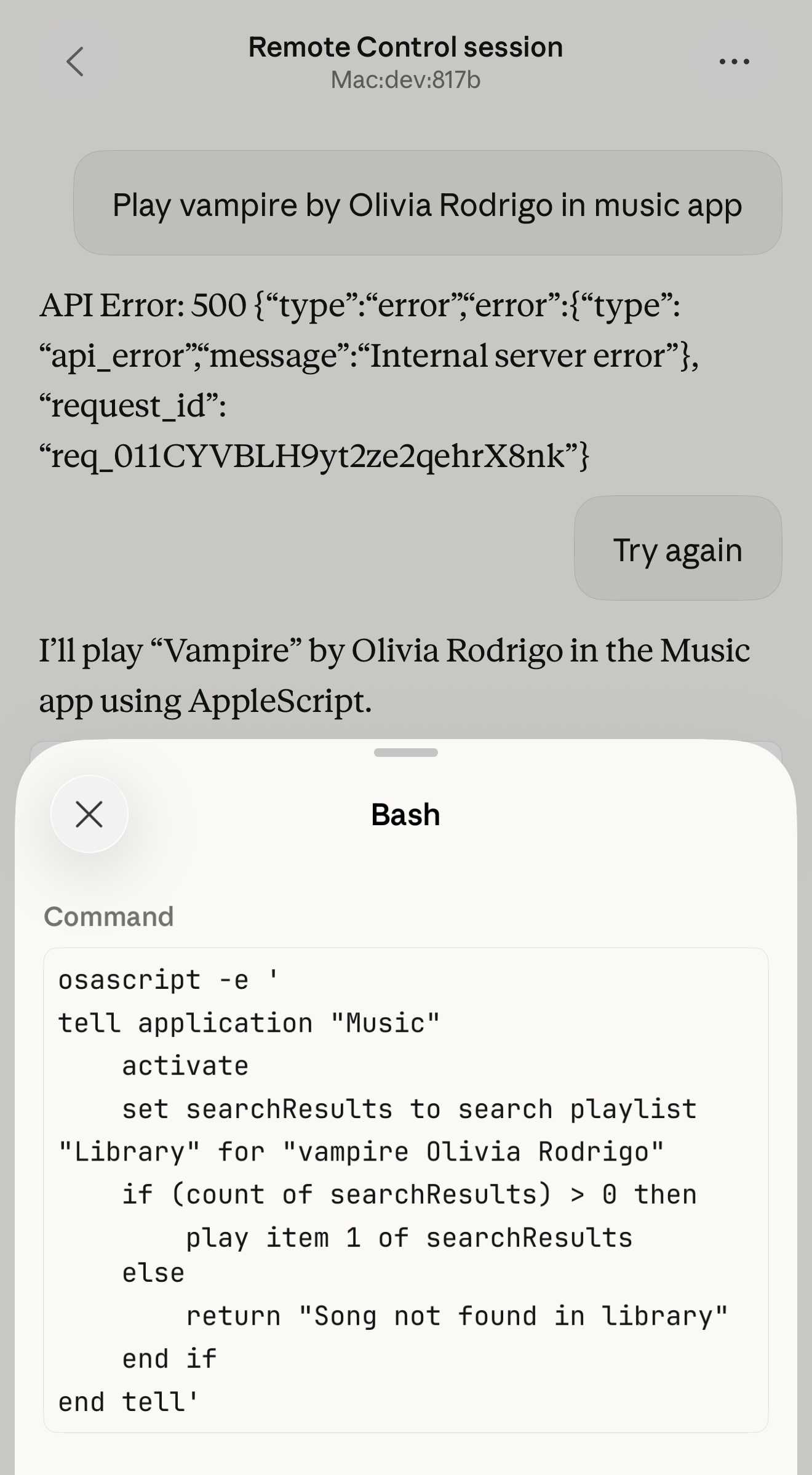
我还遇到过一种状态:不管输入什么 prompt,都会收到 API 500 错误。

另外,如果你在机器上重启程序,已有会话也会开始返回一些莫名其妙的 API 错误,而不是明确提示会话已终止。
我预计这些问题他们会很快修掉。拿它和 OpenClaw 这类方案对比就很有意思:后者的一大卖点就是可以用手机控制你的个人设备。
Claude Code 目前仍没有提供文档化的定时运行机制,而这正是 Claw 这一类软件的另一个杀手级能力。
更新:我说早了——Anthropic 今天也宣布了 在 Cowork 中安排周期性任务。Cowork 是 Claude Code 的通用 Agent“兄弟产品”。不过它也有一条重要限制:
Scheduled tasks only run while your computer is awake and the Claude Desktop app is open. If your computer is asleep or the app is closed when a task is scheduled to run, Cowork will skip the task, then run it automatically once your computer wakes up or you open the desktop app again.
我真的希望他们正在做 Cowork Cloud 产品。